
Skip to content

Innovating personal audio & workspace tech since 2005 — designed in Carlsbad, California

0%

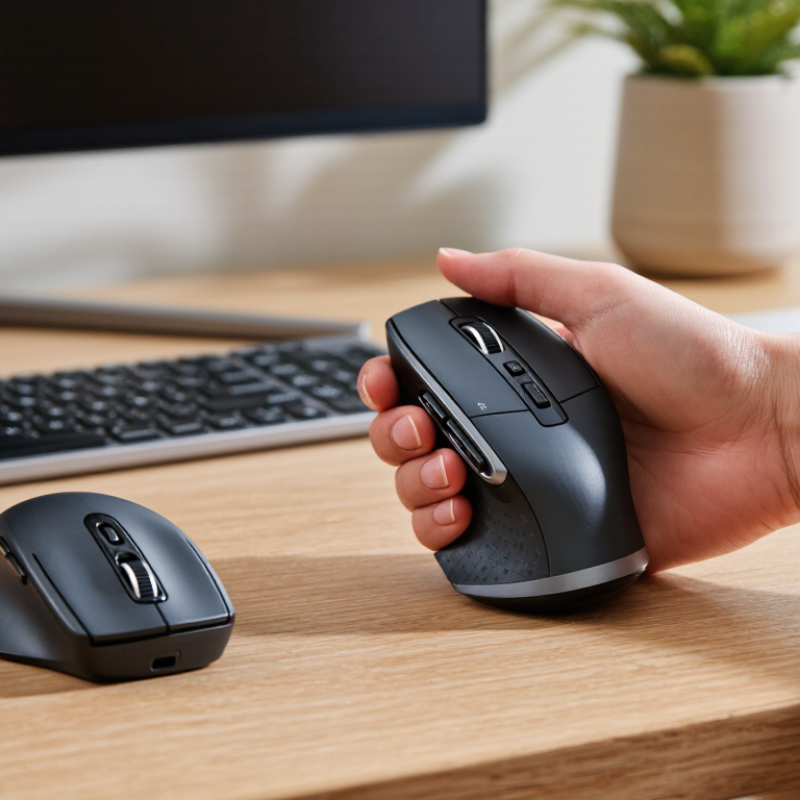
An ordinary mouse keeps the hand turned palm-down, a position many people maintain for hours at a desk. By contrast, Ergonomic Vertical Mice place the hand in a more upright, handshake-like grip. The buttons sit along the side, so clicking may feel different at first. Small change. Noticeable adjustment. For some users, this position feels more comfortable during long stretches of work. For others, it can feel awkward or tiring. No mouse suits every hand.

A sensible choice depends on your hand size, grip, work habits, and budget—not just the shape of the device. Check whether your fingers reach the buttons without stretching, and whether the mouse moves smoothly across your desk. If possible, try the model before buying; a few minutes can reveal an uncomfortable angle that product photos cannot. Pay attention to setup, too. A vertical mouse may require time to learn, and it does not automatically prevent discomfort or replace breaks and good workstation habits. I would not treat “ergonomic” as a promise of pain relief. It is a design description, not a personal guarantee. This guide looks at the practical advantages, possible drawbacks, and features worth comparing, so you can decide whether a vertical mouse fits your daily routine. The right choice may be less dramatic than expected—and that is worth considering.
Why Are Ergonomic Vertical Mice Worth Buying?

What Defines an Ergonomic Vertical Mouse?

What Defines an Ergonomic Vertical Mouse?

An ergonomic vertical mouse holds the hand in a relaxed, handshake-like position rather than palm-down. Its raised body supports the palm, while the thumb rests along one side and the fingers reach the buttons. This shape reduces forearm rotation, but it does not automatically make every movement comfortable. OSHA’s Computer Workstations eTool advises keeping wrists straight and the mouse close to the body. A well-fitted vertical mouse should make that position feel natural, not force the wrist sideways.

The fit is personal. Check whether your fingers land easily on the buttons and your shoulder stays relaxed while moving the mouse across the desk. In a 2015 U.S. Bureau of Labor Statistics report, musculoskeletal disorders accounted for 31% of private-industry cases involving days away from work. That figure covers many work-related causes, not mouse use alone. Peer-reviewed comparisons of mouse designs also measure forearm posture and muscle activity, showing that shape can change how the arm works. Still, a vertical grip may feel awkward at first; give yourself time, and reconsider if it creates new pressure or strain.

How Its Upright Grip Changes Hand and Wrist Position

An ergonomic vertical mouse changes the angle of your hand, not the basic work your fingers do. With the grip turned upright, your thumb rests along one side while your fingers curve around the other. Your palm faces inward, closer to a relaxed handshake than a palm-down position. This can reduce how far the forearm rotates, which some users find more comfortable during long stretches of pointing and clicking. It does not guarantee less pain, though; comfort depends on your hand, setup, and habits.

Notice your wrist as you move the cursor. Ideally, it stays fairly straight, rather than bending sharply toward the little finger or lifting at the knuckles. Keep the mouse close to your keyboard, and let your forearm rest lightly on the desk or armrest. Small details matter. A mouse that is too large may stretch your fingers; one that is too small can make your grip feel cramped. Give the new angle time, but pay attention to persistent discomfort and adjust your setup if needed. The transition can feel awkward. That is normal, but it is not a reason to force a grip that feels wrong. A vertical mouse may change wrist position; it cannot fix every posture problem by itself.

Potential Benefits for Comfort During Daily Computer Use

A vertical mouse changes the hand’s angle, keeping the thumb more upright instead of turning the palm fully downward. That shift may ease discomfort during long pointer tasks, especially with a straight wrist and supported forearm. Subtle, not dramatic. Your shoulder can still creep upward, and a tight grip can undermine the benefit. Fit matters: your fingers should rest naturally, without stretching to reach the buttons.

Workplace statistics show why comfort deserves attention, though they do not prove that a mouse prevents injury. Britain’s Health and Safety Executive reported 473,000 workers with work-related musculoskeletal disorders and 6.6 million lost workdays in 2022/23. The U.S. Bureau of Labor Statistics recorded 27.2 musculoskeletal-disorder cases per 10,000 full-time-equivalent workers in private industry in 2022. These figures cover many jobs and causes, not computer mice alone. Try a vertical mouse for several workdays and notice whether wrist soreness or grip tension changes. Some people need time to adapt; others may find the shape awkward. Honestly, no mouse compensates for hours without movement, so brief breaks still matter.

Why Are Ergonomic Vertical Mice Worth Buying?

Potential Benefits for Comfort During Daily Computer Use

A vertical mouse may feel more comfortable for some people by allowing a less palm-down forearm position. Comfort varies, and a mouse alone cannot guarantee pain prevention. A useful workstation target is keeping the elbows flexed within the 90–120° range; adjust your mouse position so your wrist stays as straight as possible.

Posture reference: OSHA Computer Workstations: Work Surface.

Who May Benefit Most from a Vertical Mouse?

A vertical mouse may suit people who spend hours moving a cursor and feel tension when their palm rests flat. Its upright grip keeps the hand closer to a handshake position, which some users find more comfortable. It may be worth trying if your forearm feels tightly rotated after long stretches at a desk. It is not a cure.

People doing frequent office tasks, such as editing documents or moving between spreadsheets, may appreciate the different grip. Picture a hand reaching for the mouse beside a keyboard, with the thumb resting along its side rather than pressed against the desk. Users who tend to grip a mouse tightly may also notice whether the shape encourages a looser hold. Small hands, large hands, and different grip styles need different fits; the angle alone does not tell the whole story.

A vertical mouse can feel awkward at first. Cursor control may be less precise for a few days, especially during detailed design work or quick selections. A slower pointer setting and short trial sessions can make the change easier to assess. I would not assume “ergonomic” means comfortable for everyone. Persistent pain, numbness, or weakness deserves attention from a qualified health professional, rather than relying on a mouse change alone.

Factors to Consider Before Buying One

Before buying a vertical mouse, check whether its angle keeps your wrist relaxed rather than forcing your hand into a new position. Compare its size with your palm: your fingers should reach the buttons without stretching, and your thumb should rest comfortably. A steep tilt may feel strange at first. Try the shape in person, if possible, and consider a return window; comfort over several hours matters more than a quick test. Look for adjustable pointer speed, too, since a cursor that barely crosses the screen can make your shoulder work harder.

Consider your daily tasks and desk setup. A compact model may suit a small desk, while larger hands may need a fuller grip and more thumb support. Check whether the mouse fits your left or right hand, connects reliably, and has buttons you can reach without twisting your fingers. The U.S. Bureau of Labor Statistics recorded about 2.8 million nonfatal workplace injury and illness cases in private industry in 2022; that broad figure does not show that mouse use caused them, but it underscores why workstation fit deserves attention. NIOSH ergonomic guidance also emphasizes neutral wrist posture and appropriate equipment fit. Not a cure. If discomfort persists, rethink the whole setup, including chair height and keyboard position—not just the mouse.

FAQS

What is a vertical mouse?

It holds your hand in a relaxed, handshake-like position. The raised body supports your palm, while your thumb rests along the side.

How might its shape affect wrist and forearm posture?

The upright grip reduces forearm rotation compared with a palm-down position. It should still let your wrist stay straight, not push it sideways.

Who might find one comfortable?

People who spend long hours moving a cursor may appreciate the different grip. It may help if a flat mouse leaves your forearm feeling tightly rotated. Not a cure.

Will it feel natural right away?

Not always. Cursor control may feel less precise for a few days, especially during detailed design work. Short trial sessions can help you judge the fit.

How can I check whether the size is right?

Your fingers should reach the buttons without stretching. Your thumb should rest comfortably, and your shoulder should stay relaxed as you move the mouse.

Does a steeper angle make a mouse more ergonomic?

Not necessarily. The angle should feel natural and keep your wrist relaxed. A steep tilt may feel strange or create new pressure.

What features should I consider before buying?

Check hand compatibility, button reach, connection reliability, and adjustable pointer speed. A return window can help, since comfort after several hours matters.

What else should I adjust if discomfort continues?

Recheck your chair height, keyboard position, and mouse distance. Keep the mouse close to your body. Persistent pain, numbness, or weakness warrants advice from a qualified health professional.

Does workplace injury data prove that mouse use causes pain?

No. Broad workplace injury figures include many causes and do not show that mouse use alone is responsible. I might give the mouse too much credit; the whole workstation matters.

Conclusion

Ergonomic Vertical Mice are designed with a raised, upright shape that encourages the hand to rest in a more natural, handshake-like position. Compared with a traditional flat mouse, this grip can change how the wrist and forearm are angled while pointing and clicking. For some people, that position may feel more comfortable during everyday computer use, especially during long periods of work, browsing, or study. Comfort varies, however, and a vertical design is not a guaranteed solution for discomfort.

A vertical mouse may be worth trying for people who spend many hours at a computer or find a conventional mouse awkward to hold. Before buying one, consider its size, shape, button placement, connection type, and compatibility with your setup. It can also take time to adjust to the different grip and cursor movement, so a brief trial may help you decide whether it suits your hand and working habits.

Celeste

Celeste

Celeste is a dedicated marketing professional with a deep understanding of the company’s products, customers, and market landscape. Through a combination of strategic thinking, clear communication, and practical industry knowledge, Celeste helps translate complex product features into useful......