
Skip to content

Innovating personal audio & workspace tech since 2005 — designed in Carlsbad, California

0%

Choosing True Wireless Earbuds can feel simple until product pages fill with codec names, battery claims, and noise-control promises. A low price may look attractive, but comfort and connection stability matter during a long commute.

Fit deserves real attention. Start with comfort. Try each tip size, then walk around and speak briefly. A loose seal can weaken bass, while pressure may become tiring. Small differences become obvious after an hour, not just during a short shop demo. No single specification tells the whole story.

This guide introduces ten practical checks for choosing earbuds with confidence. It covers sound quality, fit, battery life, charging cases, controls, microphones, water resistance, and device compatibility. It also explains how to judge noise cancellation and transparency modes in everyday settings. A feature list is useful, but a quiet room cannot reveal how earbuds handle a busy street. Listen to familiar songs, check call clarity, and confirm the case fits your pocket. The best choice depends on your ears, routine, and budget. That sounds obvious, yet it is easy to forget when a discount ends soon. Some advice here may seem cautious; that is intentional. Specs change, and personal comfort is hard to predict. Use these tips to compare real-world performance, not just marketing language.
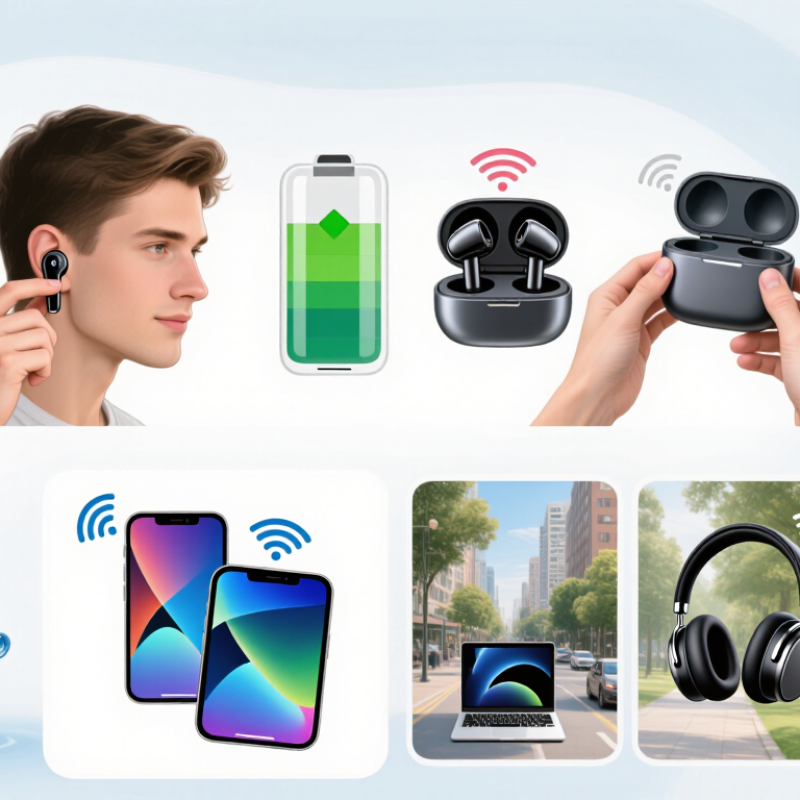
10 Tips for Buying True Wireless Earbuds

Define Your Listening Needs and Set a Realistic Budget

Buying true wireless earbuds starts with an honest description of your listening habits. Do you commute through traffic, exercise outdoors, or listen quietly at home? Each setting demands different features. For a train ride, strong passive isolation may matter more than extreme volume. During workouts, a secure fit and sweat resistance become practical concerns. If you take calls daily, test microphone clarity in noisy spaces, not only in a silent shop. I once trusted a comfortable first impression and ignored pressure after thirty minutes. That mistake became annoying quickly.

Set a realistic budget before comparing specifications. A higher price does not guarantee better sound, comfort, or durability. List your non-negotiables, then rank them. You might need reliable battery life, multipoint connection, or physical controls. You may not need advanced spatial audio. Check the full cost, including replacement tips and a protective case if one is not included. Read independent measurements and long-term user reports, but treat both carefully. Reviews can reflect different ears, phones, and expectations. There is no perfect score.

Try to estimate your weekly use in hours. Eight hours of listening may justify a larger battery, while occasional users can save money. Leave room for trade-offs. A cheaper pair with excellent fit can outperform expensive earbuds that keep slipping out. I still reconsider my choices after several weeks, because battery aging and comfort are difficult to predict. Buy from a seller with a clear return policy, and keep the receipt. Test calls, fit, controls, and charging within that period. Small details matter.

Compare Sound Quality, Fit, and Comfort

Tip 1: Test sound quality with familiar recordings, not only dramatic bass tracks. Listen for clear vocals, controlled cymbals, and separate instruments. A balanced earbud should sound natural at moderate volume. I once preferred stronger bass in a shop, then found it tiring after an hour. That mistake changed my testing method.

Tip 2: Treat fit as a performance issue, not a cosmetic detail. Try different ear tip sizes and gently move your head. The earbuds should stay secure without creating pressure. A proper seal improves bass and reduces the need for loud volume. Walk, bend, and speak while testing them. Loose earbuds can make excellent sound seem weak.

Tip 3: Comfort deserves a longer trial. Wear each earbud for at least 30 minutes, if possible. Check for soreness around the outer ear and pressure inside the canal. Lightweight designs often feel better, but shape matters more than weight alone. I sometimes overlook comfort during short tests, and that is still a flaw in my process. Also examine microphone clarity during a quiet call, because fit can affect voice pickup. A reliable comparison uses the same recordings, volume, and listening time for every model.

Evaluate Battery Life, Charging, and Connectivity

When I test true wireless earbuds, I check battery life with noise cancellation enabled. Real-world playback often falls below the advertised figure. A five-hour claim may become four hours during commuting, calls, and high-volume listening. That gap matters on long flights. Check whether the quoted time includes the charging case or the earbuds alone. Also, verify battery performance after repeated charging cycles, because capacity can gradually decline.

Look for a case that provides several full recharges and shows its remaining power clearly. USB-C charging is practical, especially when your phone, tablet, and earbuds share one cable. Fast charging can rescue a quiet morning. Still, advertised minutes vary by volume and settings. I once trusted a ten-minute charging claim, but my earbuds were not fully seated in the case. The result was disappointing and useful. Always confirm the contact pins are clean and charging indicators are active.

Connectivity deserves hands-on attention. A newer Bluetooth version can improve efficiency, but it does not guarantee flawless performance. Test the earbuds through walls, busy stations, and crowded offices. Multipoint pairing is valuable when switching between a laptop and phone, although some models handle calls poorly. Check codec support, latency, and reconnection speed. A stable connection is more important than impressive technical language. Read independent measurements, then compare them with your daily routine.

10 Tips for Buying True Wireless Earbuds - Evaluate Battery Life, Charging, and Connectivity

Tip Evaluation Dimension Useful Benchmarks What to Check Before Buying Common Trade-Offs or Limitations
1 Earbud Battery Life Aim for approximately 6–10 hours of playback from the earbuds on a single charge when active noise cancellation is disabled. Look for a published runtime measured under clearly stated conditions, such as music playback at a moderate volume with standard codecs. Higher volume, noise cancellation, transparency mode, calls, and advanced audio processing can reduce actual runtime.
2 Charging Case Capacity A practical case typically provides about 2–4 additional full charges, giving roughly 20–40 total hours including the earbuds. Compare total listening time, not just the earbud rating. Confirm whether the stated total includes noise cancellation being turned off. A larger case may offer more recharges but can be less convenient to carry in a pocket or small bag.
3 Fast Charging A useful fast-charge specification is approximately 1–2 hours of playback after 5–10 minutes in the case. Verify whether the fast-charge claim applies to both earbuds and whether it requires a particular cable, charger, or charging case level. Fast charging restores listening time quickly, but it does not increase the battery capacity or long-term battery lifespan.
4 Charging Method USB-C is the current practical standard. Wireless charging is a convenience feature rather than a requirement. Check whether the package includes a charging cable, whether wireless charging is supported, and whether the case can charge reliably on compatible pads. Wireless charging is usually slower and may generate more heat than wired charging. The charging pad may not be included.
5 Bluetooth Version Bluetooth 5.0 or newer generally provides a modern baseline for efficiency, compatibility, and connection stability. Confirm compatibility with the phone, tablet, computer, or other source device. A newer Bluetooth version on the earbuds does not guarantee every advanced feature. Real-world performance depends on both connected devices, software support, radio interference, and physical obstructions.
6 Connection Stability Look for stable performance during normal indoor movement, commuting, and moderate distance from the source device. Read independent tests for dropouts, reconnection behavior, left-right synchronization, and performance in crowded wireless environments. Wi-Fi routers, crowded public areas, metal obstacles, and the placement of the source device can affect wireless reliability.
7 Multipoint Connectivity Multipoint allows the earbuds to maintain connections with two source devices, such as a phone and a computer, when supported. Confirm whether multipoint supports automatic switching for calls and media, and whether it works with the preferred operating systems. Some models limit multipoint to specific devices or codecs, and switching may not be completely seamless.
8 Audio Codec Support Basic Bluetooth audio codecs provide broad compatibility. Optional higher-quality codecs can improve audio transmission when both devices support them. Match the supported codecs with the source devices you actually use. Prioritize stable connection and compatibility over codec names alone. Higher-quality codecs may consume more power or reduce connection range, and codec support does not automatically determine sound quality.
9 Call and Microphone Performance A suitable pair should provide clear voice pickup indoors and acceptable performance in moderate outdoor noise. Look for tests involving wind, traffic, cafés, and group conversations. Check whether the microphone system supports sidetone or voice monitoring. Tiny microphones can struggle with strong wind, heavy traffic, and loud crowds even when music playback remains clear.
10 Battery Aging and Support Rechargeable lithium-ion batteries gradually lose capacity over time. A replaceable-battery service or long warranty can improve ownership value. Review the warranty period, software-support policy, repair options, battery-replacement availability, and the clarity of battery health information. Earbud batteries are compact and often difficult to replace. Heat, deep discharge, and prolonged storage at full charge can accelerate aging.

Check Noise Control, Call Quality, and Device Compatibility

Noise cancellation is useful only when its seal fits your ears. Try the earbuds with glasses, if you wear them, and listen for gaps while walking. A quiet shop can hide wind noise and weak transparency mode. Test both. The World Health Organization estimates that over one billion young people may risk hearing loss from unsafe listening; effective noise control may help you avoid turning volume up, but it is not hearing protection. Keep listening levels comfortable.

Call quality needs a real-world check. Record a short voice message near traffic, then replay it for muffled words, wind bursts, and background voices. Microphone counts alone do not guarantee clear calls. Bluetooth SIG’s 2024 Market Update projects 7.6 billion annual Bluetooth device shipments in 2028, reflecting a broad and varied device ecosystem. That figure does not mean every earbud works equally well with every phone. Check supported Bluetooth profiles, operating-system features, multipoint behavior, and whether key controls require an app. A quick pairing test matters. I still find compatibility lists incomplete; test your own phone and laptop before buying.

Review Durability, Controls, and Warranty Coverage

Check durability before judging sound. Look closely at the case hinge, charging contacts, and earbud seams. Loose hinges and exposed contacts may wear faster in daily use. If you commute, picture the case bumping around in a bag beside keys. A water-resistance rating can help, but it does not make earbuds waterproof. Check what the rating covers, and avoid assuming it includes the charging case. Small details matter.

Try the controls with dry hands, then imagine using them while walking. Can you pause audio without pressing the earbuds painfully into your ears? Test taps, squeezes, and volume changes in a quiet place. Some controls are easy to trigger by accident when adjusting a loose fit. That gets annoying. Also check whether core controls work without a companion app; app settings can change, and not everyone wants another one installed.

Read the warranty terms before buying, not after a problem appears. Check its length, proof-of-purchase rules, and whether battery wear or accidental damage is excluded. Keep the receipt and note the purchase date. Coverage varies, so a broad phrase like “limited warranty” tells you very little by itself. I would not treat a long warranty as proof of durable construction; it is only one part of the decision.

FAQS

How should I test earbud sound quality?

Use familiar recordings with vocals, cymbals, and separate instruments. Avoid testing only dramatic bass tracks. Listen at moderate volume. Strong bass can feel exciting, then tiring after an hour.

Why is earbud fit important for sound?

A secure seal improves bass and reduces outside noise. Try different ear tip sizes. Walk, bend, and speak while testing. Loose earbuds can make good sound seem weak.

How long should I test comfort?

Wear each earbud for at least 30 minutes, if possible. Check for soreness around the outer ear and pressure inside the canal. Shape matters more than weight alone. I sometimes overlook this during short tests.

How can I test noise control properly?

Test noise control while walking, not only inside a quiet shop. Try wearing glasses if you use them. Listen for wind noise and gaps. Noise control may reduce volume increases, but it is not hearing protection.

What is a practical way to test call quality?

Record a short voice message near traffic. Replay it for muffled words, wind bursts, and background voices. Microphone quantity does not guarantee clear calls. Real surroundings reveal more.

How do I check device compatibility?

Pair the earbuds with your own phone and laptop. Check supported Bluetooth features, operating-system functions, and multipoint behavior. Confirm whether important controls require an app. Compatibility lists can be incomplete.

What durability details should I inspect?

Examine the case hinge, charging contacts, and earbud seams. Imagine the case moving beside keys in a daily bag. Water resistance does not mean waterproof protection. Check whether the rating includes the charging case.

What should I check before relying on the warranty?

Read the coverage period, proof-of-purchase rules, and exclusions. Battery wear and accidental damage may not qualify. Keep the receipt and record the purchase date. A long warranty is not proof of strong construction.

Conclusion

Choosing the right True Wireless Earbuds starts with understanding how you plan to use them and setting a budget that fits your needs. Compare sound quality, earbud fit, and long-term comfort, since a good listening experience depends on more than audio alone. Consider battery life for both the earbuds and their charging case, along with charging convenience and a stable connection to your devices.

Before buying, check whether the noise-control features and microphone quality suit your listening and calling habits. Make sure the earbuds work with your devices, and review their durability, controls, and warranty coverage. Weighing these factors together can help you find a practical pair that feels comfortable, performs reliably, and offers useful features without paying for extras you may not need.

Evelyn

Evelyn

Evelyn is a professional marketing specialist with extensive knowledge of the company’s products and a strong commitment to helping customers make informed decisions. Through hands-on product research and close collaboration with internal teams, she develops a clear understanding of product......